
A walking pad is easy to forget about until the belt starts drifting, slipping, or making a sound you have never heard before.
It lives under a desk, collects dust from the room, and may run for hours while you work. Even gentle walking can add up to a substantial amount of operating time over a month.
The maintenance itself is usually straightforward. The awkward part is that manufacturers do not all give the same schedule, and sometimes different official pages from the same brand disagree.
We compared current guidance from WalkingPad, UREVO, Egofit, and DeerRun to see where the advice overlaps and where owners need to pay closer attention.
About this guide: We have not personally tested these machines or performed the maintenance procedures described here. This is researched editorial analysis of manufacturer guidance available in October 2026. Model revisions and regional instructions can differ.
The Quick Answer
Three months appears repeatedly in current walking-pad maintenance guidance, but it should not be treated as a universal schedule.
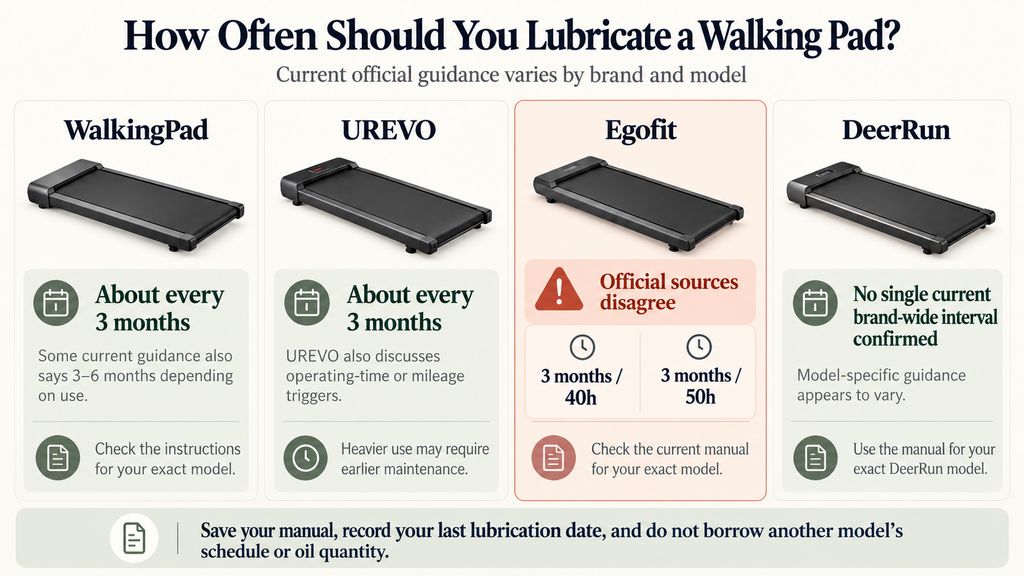
WalkingPad’s general guidance ranges from roughly three months to three to six months depending on usage. UREVO recommends about every three months for many home users and also discusses operating-time thresholds. Egofit currently publishes a 40-hour threshold on one maintenance page while its M1/M1T manual and product guidance use 50 hours.
That disagreement is exactly why it is worth saving the manual for your specific machine.
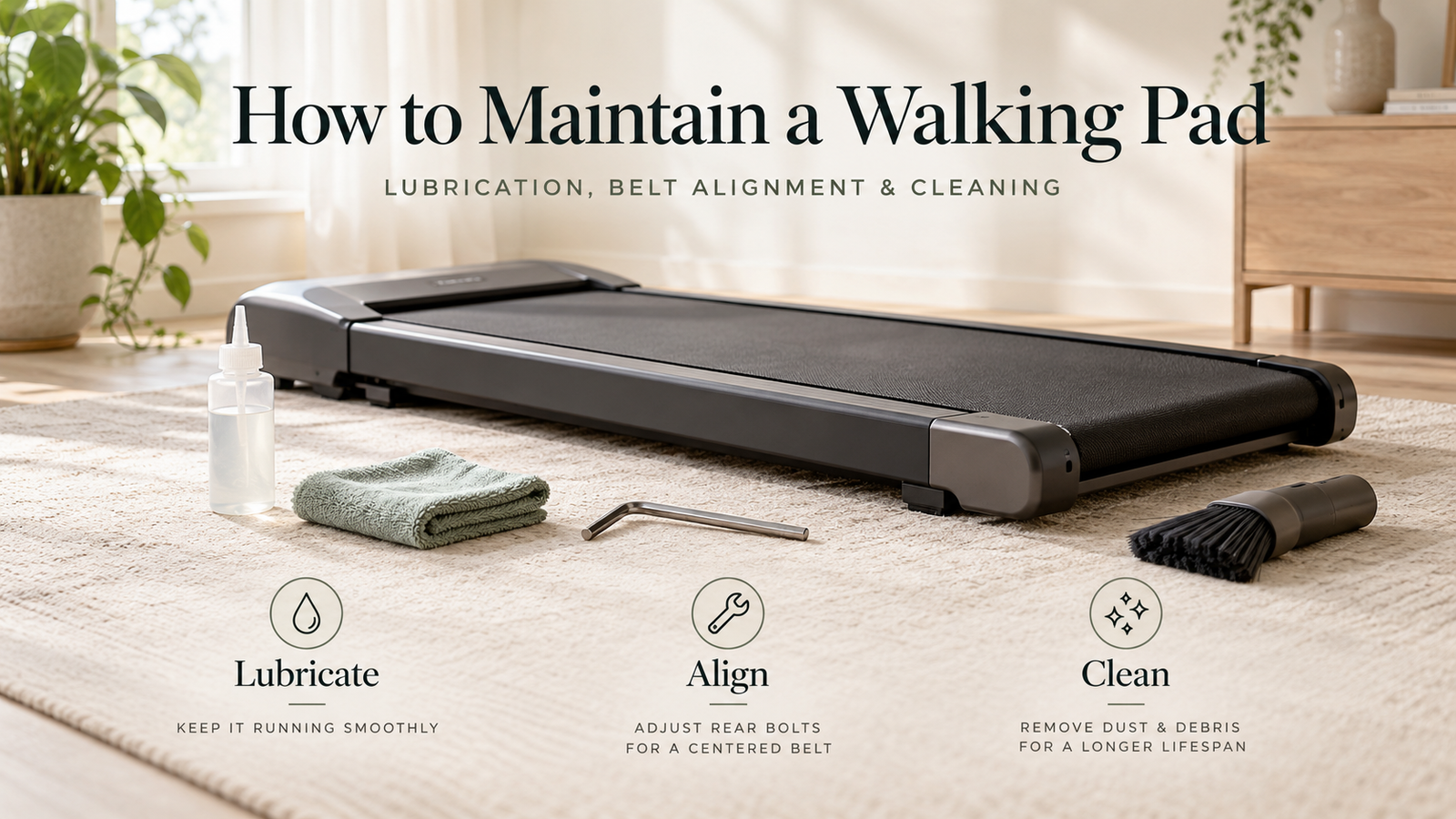
For routine care, keep three jobs separate:
clean the machine and the floor around it regularly, lubricate according to the applicable schedule, and adjust the belt only when its tracking or tension actually needs attention.
Before cleaning underneath the belt or handling adjustment hardware, switch the walking pad off and unplug it.
A damaged power cord, burning smell, smoke, persistent stalling, or an electrical fault is a reason to stop using the machine and contact support rather than continue troubleshooting.
How Often Do Different Brands Say to Lubricate?
This is where a simple “lubricate every X months” answer starts to fall apart.
The sources below do not all have the same scope. Some are general brand guidance, while the Egofit M1/M1T manual is model-specific.
| Brand / source | Published guidance | What that means |
|---|---|---|
| WalkingPad — general guidance | Roughly every 3 months under normal use; current shopping guidance also describes 3–6 months for many models | Usage changes the interval, so check the exact model instructions |
| UREVO — general maintenance guidance | About every 3 months for most home users; daily users may need more frequent care | UREVO also discusses operating time and mileage as useful triggers |
| Egofit M1/M1T manual & product guidance | 3 months / 50 hours in the manual; current product pages commonly state 3–4 months / 50 hours | Model-specific guidance gives owners a useful operating-time threshold |
| Egofit maintenance page | 3 months / 40 usage hours, whichever comes first | Egofit’s own official sources currently disagree |
| DeerRun | We could not verify one current brand-wide interval from DeerRun’s official site | Use the maintenance schedule supplied for the exact model |
WalkingPad’s current site describes lubrication every three to six months for many models, while its 2026 lubrication article says roughly every three months under normal use and potentially more often with heavy daily use. UREVO’s current lubrication guide similarly gives three months as a common home-use interval.
Egofit is the more interesting case.
Its M1/M1T manual specifies lubrication every three months or 50 operating hours. Current M1-family product pages also give a 50-hour figure, while a separate Egofit maintenance page still says every three months or 40 usage hours.
The Egofit 40-Hour vs 50-Hour Discrepancy
We would not quietly average those two numbers into a new “45-hour recommendation.”
The useful information is that the official sources currently disagree.
An Egofit owner approaching that threshold should check the current documentation for the exact model or confirm it with Egofit support.
If you are considering the M1 platform itself, our Egofit M1 vs M1T comparison explains how the folding handrail changes the machine’s size and everyday role.
What 40 or 50 Operating Hours Actually Means at a Desk
Calendar intervals can feel generous until a walking pad becomes part of the workday.
We calculated how quickly 40 and 50 operating hours accumulate under three simple routines.
| Example routine | Weekly use | 40 hours reached | 50 hours reached |
|---|---|---|---|
| 30 min × 4 days | 2 hours | 20 weeks | 25 weeks |
| 1 hour × 5 days | 5 hours | 8 weeks | 10 weeks |
| 2 hours × 5 days | 10 hours | 4 weeks | 5 weeks |
The calculation is simply:
operating-hour threshold ÷ weekly operating hours
For comparison, we treat three months as approximately 13 weeks.
At ten hours of use per week, a 40-hour trigger arrives in about four weeks and a 50-hour trigger in about five.
At two hours per week, a three-month calendar interval arrives much sooner.
This is why a desk treadmill benefits from a basic usage record. Low walking speed does not necessarily mean low accumulated runtime.
You do not need anything elaborate. A note on your phone with the lubrication date and approximate weekly usage is enough to make the next maintenance decision less dependent on memory.
Lubrication: Start With the Lubricant Specified for Your Machine
Most of the guidance we reviewed points toward treadmill-specific silicone lubricant.
Egofit’s M1/M1T manual specifies 100% silicone and warns against aerosol silicone sprays containing additives or petroleum distillates. UREVO’s current guide likewise recommends liquid silicone oil rather than general-purpose sprays.
The quantity is where borrowing instructions from another treadmill becomes especially risky.
Egofit’s M1/M1T manual specifies one ounce of silicone per application. By contrast, an older WalkingPad lubrication guide describes applying only one or two drops beneath the belt. Those instructions belong to different products and different guidance, so the size of the bottle is not a useful shortcut for determining the dose.
Before applying lubricant, confirm four things in the documentation for your model:
- lubricant type
- quantity
- application point
- procedure for distributing the lubricant afterward
Then switch off and unplug the machine before accessing the underside of the belt.
Many instructions involve applying lubricant between the belt and deck, then reconnecting the machine and running the belt slowly for a short period to distribute it. Follow the sequence specified for the model and keep hands, tools, and cloths clear before power is restored.
Recording the date and approximate operating hours after lubrication takes only a few seconds and makes the next interval much easier to judge.
If the belt begins slipping after lubrication, stop and troubleshoot the cause rather than automatically adding more oil. Belt tension and excess lubricant can both affect how the belt behaves.
Belt Alignment and Belt Tension Are Different Jobs
A belt that moves sideways has an alignment problem.
A belt that slips or hesitates underfoot may have a tension problem.
The adjustments can affect each other, which is why repeated trial-and-error turns at the rear rollers can quickly make the situation harder to diagnose.
Before reaching for the Allen key, start with the symptoms.
If the Belt Drifts to One Side
Switch the machine off and inspect its setup.
Make sure the walking pad is sitting on a firm, level surface and that nothing is caught near the belt or side rails. Confirm that any folding mechanism or manual incline system is fully positioned as intended.
If the setup looks normal and the belt continues to track sideways, use the alignment procedure in the model’s manual.
Egofit’s M1/M1T manual, for example, specifies paired quarter-turn changes for alignment. That is useful information for an M1 or M1T owner, but the same rotation should not automatically be applied to another treadmill.
If the Belt Slips or Hesitates Underfoot
Stop using the machine until you identify the cause.
Look for visible belt damage or debris and then find the tension section of the manual. Belt tension that is too low can allow slipping, while excessive tension increases load on the rollers and motor.
Egofit’s M1/M1T documentation uses different adjustment increments for tension than it does for alignment, which illustrates why treating the two problems as interchangeable can create new issues.
If the Machine Develops a New Noise
Start with the easy external checks.
Inspect the floor beneath the walking pad, look for debris around the belt edges, confirm that the machine is stable, and check accessible fasteners or folding parts for anything visibly loose.
A squeak from the belt area, a rattle from a loose exterior component, and grinding from inside the motor housing call for different responses.
Persistent grinding, electrical smells, stalling, or sudden speed changes belong in the stop-and-contact-support category.
If apartment noise is the reason you noticed the change in the first place, remember that maintenance is only one part of the equation. Floor vibration, footfall, speed, and the machine’s own construction also affect what another room may hear.
Cleaning and Storage: Pay Attention to the Area Around the Machine Too
A walking pad does not need to look dirty for dust to matter.
Low-profile machines sit close to the floor, exactly where lint, carpet fibers, pet hair, and ordinary household dust collect.
UREVO recommends regular cleaning around and beneath the machine, while current manufacturer guidance generally favors a soft cloth for accessible surfaces and keeping excess moisture away from electrical areas.
A practical routine is to wipe accessible surfaces when they need it and inspect the floor underneath on a regular basis. Carpet and pet hair make that surrounding area worth checking more often.
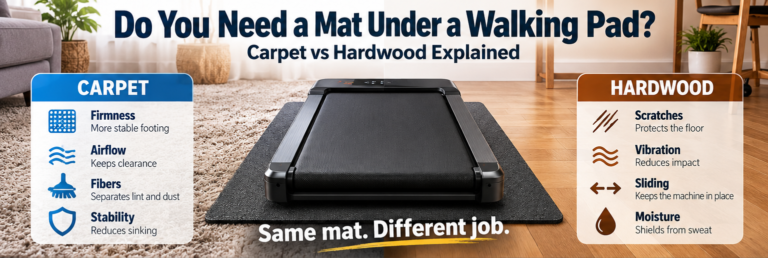
If your walking pad sits on carpet, a firm equipment mat can help separate the underside of the machine from fibers and create a more stable surface. Our walking pad mat guide for carpet and hardwood explains why the mat’s job changes with the flooring underneath it.
Storage deserves a few model-specific checks too.
Before folding or moving the walking pad, check:
the permitted folding sequence, whether upright storage is approved, where the transport wheels are located, and where the power cable sits when the machine is moved.
A folding handrail, folding deck, and machine designed for vertical storage are different things.
For a walking pad that gets packed away every evening, the easiest storage arrangement is usually one that avoids dragging the machine across cables or furniture and still leaves enough access to clean beneath it.
If storage space is becoming the bigger issue than maintenance itself, our walking pad vs treadmill comparison looks separately at operating footprint and stored footprint.
When to Stop DIY Maintenance
Routine cleaning, model-approved lubrication, and clearly documented belt adjustments are reasonable owner tasks.
Some symptoms deserve a firmer stopping point.
Stop using the walking pad and contact the manufacturer or service provider if you notice:
- a burning smell, smoke, sparking, or damage to the plug or power cord
- liquid entering electrical openings
- repeated stalling or unexpected speed changes
- an electrical error that returns after the manual’s normal checks
- a torn or badly fraying walking belt
- belt contact with the side rail that persists after the approved alignment procedure
- grinding from inside the motor housing
- a loose structural component or folding lock that will not secure
Electrical covers and internal motor components are outside the scope of routine owner maintenance unless the manufacturer specifically provides a procedure.
When contacting support, having the model number, serial number, purchase information, and a concise description of what changed will usually be more useful than repeatedly restarting the machine to reproduce the fault.
A Simple Maintenance Routine for Everyday Owners
You do not need to turn walking-pad ownership into another household project.
A useful minimum routine looks like this:
After use when needed:
Wipe sweat or visible dirt from accessible surfaces.
Regularly:
Inspect the floor beneath and around the machine for dust, pet hair, carpet fibers, or debris.
Keep a usage record:
Save the date of the last lubrication and a rough estimate of weekly operating hours.
When the scheduled interval arrives:
Use the lubricant type, quantity, and application process specified for your exact model.
When the belt behaves differently:
Identify whether the problem is tracking, tension, debris, or something more serious before making adjustments.
When electrical or mechanical symptoms appear:
Stop using the machine and move the problem to manufacturer support rather than deeper DIY work.
That covers most of what an everyday owner actually needs to remember.
Frequently Asked Questions
Do I Need to Lubricate a Brand-New Walking Pad?
Many machines arrive pre-lubricated, but the first-use instructions vary.
Egofit explicitly says its M1/M1T walking belt comes pre-lubricated from the factory. Other models may use different procedures, so the setup section of the supplied manual is the best place to confirm what should happen before the first walk.
Is Every Three Months a Good Rule for All Walking Pads?
Three months is a common figure in current manufacturer guidance, but operating hours and usage level can change the interval.
WalkingPad, UREVO, and Egofit all publish guidance that varies by use or by source, so a calendar reminder works best when paired with the maintenance schedule for the actual model.
Should I Tighten the Belt Every Month?
Routine inspection makes more sense than routine adjustment.
A centered belt that is not slipping usually does not need roller bolts turned simply because another month has passed. Adjustment becomes relevant when symptoms or the manufacturer’s inspection procedure indicate it.
Does a Noisy Walking Pad Need Lubricant?
Noise can come from several places, including belt friction, alignment, loose components, floor vibration, debris, or internal hardware.
Check the visible setup first and use the troubleshooting guidance for the model. Grinding, burning odors, stalling, or electrical symptoms warrant stopping the machine.
Can I Use a Maintenance Kit From Another Brand?
Possibly, but compatibility needs to be confirmed.
A generic applicator or correctly sized tool may be perfectly usable, while the lubricant formulation, quantity, and hardware dimensions still need to match the treadmill’s requirements.
The Quiet Edit’s Take
Walking-pad maintenance becomes much easier once three pieces of information are kept together:
the correct manual, the last lubrication date, and a rough record of operating time.
Keep the floor and accessible surfaces clean, treat belt tracking and belt tension as separate problems, and make adjustments only when there is a specific reason to do so.
Before buying your next walking pad, the maintenance documentation is worth checking alongside the usual speed, belt size, and storage specifications. A machine with clear instructions and reachable support can be easier to own long after the product-page features stop being interesting.